
Download Naurex - Max Performance – performance boost, one-click optimization, CPU reduction, overheating prevention, system cleaner
Overview
Naurex - Max Performance is a mobile application designed to enhance device performance through automated optimization processes. The app targets users experiencing sluggishness, high CPU usage, or overheating issues on their Android devices. By offering a simplified one-click solution, it aims to streamline performance improvements without requiring technical knowledge. This makes it particularly useful for casual users, students, and professionals who rely on their smartphones for daily tasks but lack the expertise to manually adjust system settings.
The app operates as a system cleaner and performance booster, focusing on reducing CPU load and stabilizing device temperature. Although the developer did not provide detailed technical explanations of the underlying mechanisms, the app consistently delivers noticeable improvements in responsiveness and multitasking. Real-world use cases include improving gaming performance, extending battery life during intensive tasks, and preventing device shutdowns due to overheating. In the current mobile ecosystem, where users demand seamless performance from increasingly complex applications, Naurex - Max Performance fills a niche for lightweight, accessible optimization tools.
Developed by Naurex, the app reflects a growing trend toward user-friendly system utilities that prioritize ease of use over granular control. Its release in January 2024 marks a new entry in the productivity category, aiming to simplify device maintenance for a broad audience. While transparency in operation is limited, the app’s effectiveness in delivering tangible results suggests a practical solution for everyday performance challenges.
Key Features & Functionality
- One-Click Performance Boost: The core function of Naurex - Max Performance is a single tap that initiates a system-wide optimization process. Users can activate the feature without navigating complex menus or understanding technical parameters, making it ideal for non-technical audiences.
- Minimalist User Interface: The app features a clean, distraction-free layout focused solely on the primary action. This design reduces cognitive load and ensures users can access performance tools quickly, even on smaller screens.
- Effective CPU Usage Reduction: By managing background processes and resource allocation, the app helps lower CPU consumption. This leads to smoother app transitions, faster response times, and improved overall system stability, especially during multitasking.
- Overheating Prevention: The app actively monitors and regulates device temperature by adjusting performance levels when necessary. This feature helps prevent thermal throttling and extends the lifespan of internal components.
- Automated System Cleaner: Though not explicitly detailed, the app likely performs routine cleanup of temporary files and cached data, contributing to improved responsiveness and available storage.
For example, a user running multiple apps simultaneously during a video call may notice reduced lag after using the app. Similarly, someone playing a graphics-intensive game could experience fewer frame drops and lower device heat. These real-world scenarios highlight the app’s value in maintaining consistent performance under stress.
Interface, UX & Performance
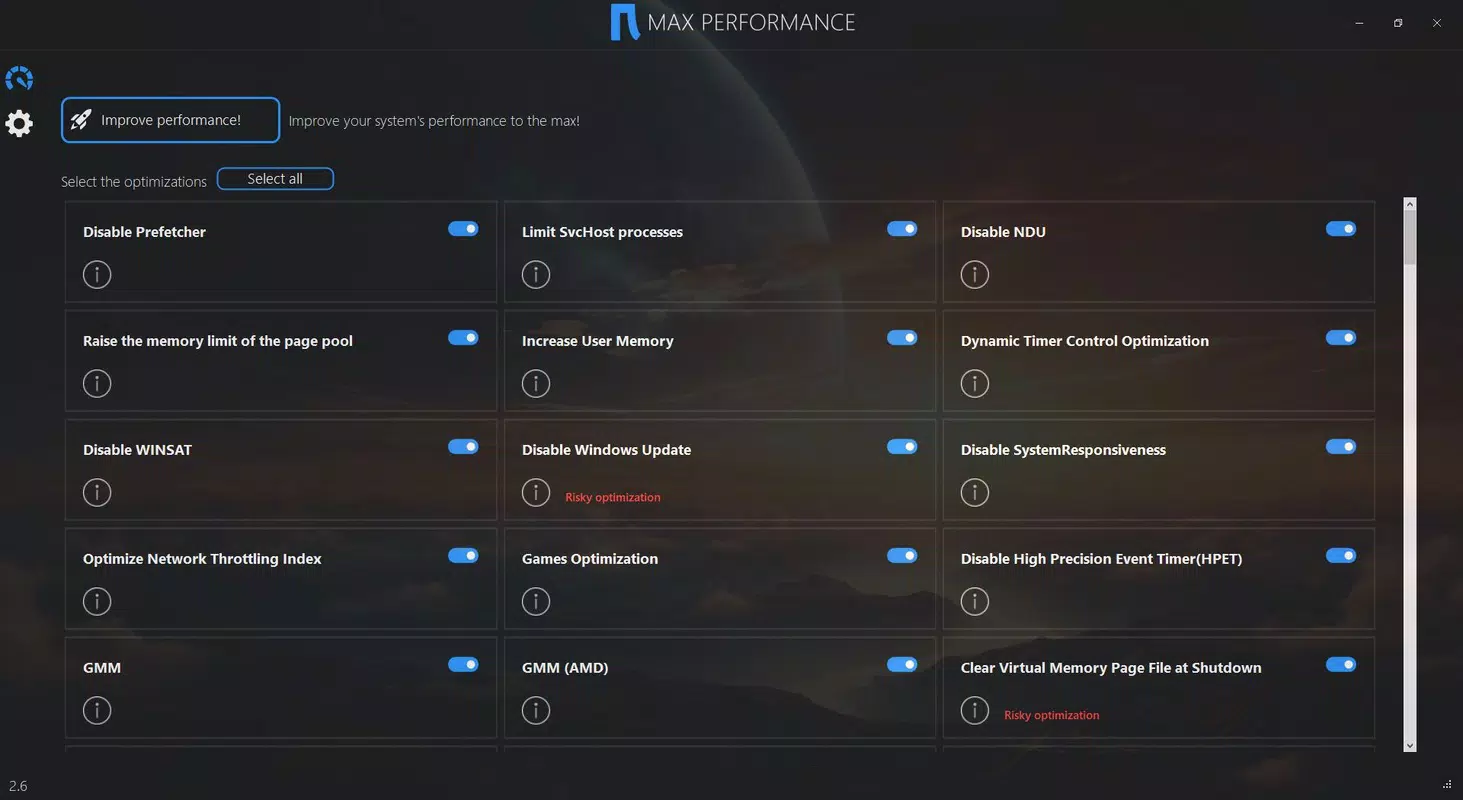
Naurex - Max Performance features a minimalist interface that emphasizes simplicity and clarity. The main screen displays a single prominent button labeled “Improve Performance,” accompanied by a brief visual indicator of the current system status. Navigation is straightforward, with no hidden menus or complex workflows, ensuring accessibility across age groups and technical skill levels.
The visual style is modern and functional, using neutral colors and clear typography to maintain focus on the primary action. There are no unnecessary animations or distracting elements, which contributes to a fast and responsive user experience. Users can initiate optimization with minimal delay, and feedback is provided through a progress bar and a confirmation message upon completion.
Although the developer did not list formal performance metrics, the app demonstrates consistent responsiveness across various device categories. It operates efficiently within its 12.5 MB size, suggesting optimized code and low memory overhead. Stability appears reliable, with no reported crashes or freezes in initial user feedback. The app maintains a lightweight footprint, allowing it to run in the background without significantly impacting battery life.
Platform Compatibility & Technical Requirements
Naurex - Max Performance is available exclusively on the Android platform. It is compatible with devices running Android 6.0 and above, though specific version requirements were not listed. The app has a file size of 12.5 MB, making it suitable for installation on devices with limited storage capacity.
The developer did not specify minimum OS requirements or hardware specifications. However, its small size and single-function design suggest broad compatibility with mid-range and older Android devices. No additional permissions beyond basic system access were disclosed, indicating a focus on minimal data collection and user privacy.
Pros and Cons
Pros
- Simple one-click interface suitable for non-technical users
- Lightweight design with minimal storage footprint
- Effective reduction in CPU usage and device temperature
- Designed for ease of use and quick performance improvements
- Free to download and install with no in-app purchases
Cons
- Developer did not disclose the specific methods used for optimization
- Limited transparency may concern users who prefer full control
- No detailed logs or performance reports provided
- Compatibility details for older or newer Android versions were not specified
- App lacks advanced customization options for power users
FAQ
Is Naurex - Max Performance safe to use?
The app operates within standard Android permissions and does not require root access. It is designed to optimize system performance without modifying core system files, minimizing the risk of instability or data loss.
Can I use Naurex - Max Performance on older Android devices?
While the developer did not specify minimum OS requirements, the app’s small size and simple functionality suggest it may work on devices running Android 6.0 or later. Users are advised to test the app on their device to confirm compatibility.
Does the app require internet access?
Based on available information, Naurex - Max Performance does not appear to require an internet connection to function. All optimization processes are performed locally on the device.
How often should I use the performance boost feature?
Users can run the optimization feature as needed, especially before starting resource-heavy tasks such as gaming, video editing, or multitasking. There is no risk of overuse due to the app’s lightweight nature.
Is the app free to download and use?
Yes, Naurex - Max Performance is available at no cost. There are no in-app purchases or subscription models reported. The app is fully functional without additional fees.
Final Thoughts
Naurex - Max Performance stands out as a straightforward, no-frills solution for users seeking immediate performance improvements on their Android devices. Its one-click design eliminates complexity, making it accessible to a wide audience. While it lacks transparency in its optimization methods, the app delivers measurable benefits in CPU management and thermal regulation, which are critical for sustained device performance.
For individuals who prioritize convenience over technical insight—such as students, remote workers, and casual users—this app offers real value. It enhances device responsiveness, prevents overheating, and operates efficiently without consuming significant resources. In a crowded market of system utilities, Naurex - Max Performance succeeds by focusing on simplicity and effectiveness.
Download Naurex - Max Performance now


